The simplest solution (albeit suboptimal) is to just author everything you want to post on the web (including within your university's LMS!) using HTML.
PLain HTML is not very good when it comes to mathematical content. For that you'll need to use MathJax.
PreTeXT is probably where we should all be heading, but there are a number of issues:
For many mathematicians - especially those with large archives of teaching materials written in LaTeX - a solution to the ADA-compliance issue via LaTeX is the path of least resistance. The "tagging" project has created a workflow that makes this possible.
Here's a step-by-step guide:
pdflatex or lualatex.\documentclass{} line.tagpdf package, and do some initial set-up.hyperref package allows you to specify metadata that should appear in the final pdf (Like the document author and title).
Beyond these basic additions, you should start training yourself to write your LaTeX code in such a way as to make document navigation easier for those with disabilities. Start making liberal use of un-numbered sections: \section*{introduction}. Be sure that every included graphic has alt text. Tikz diagrams can also specify alt text, but in an idiosynchratic way.
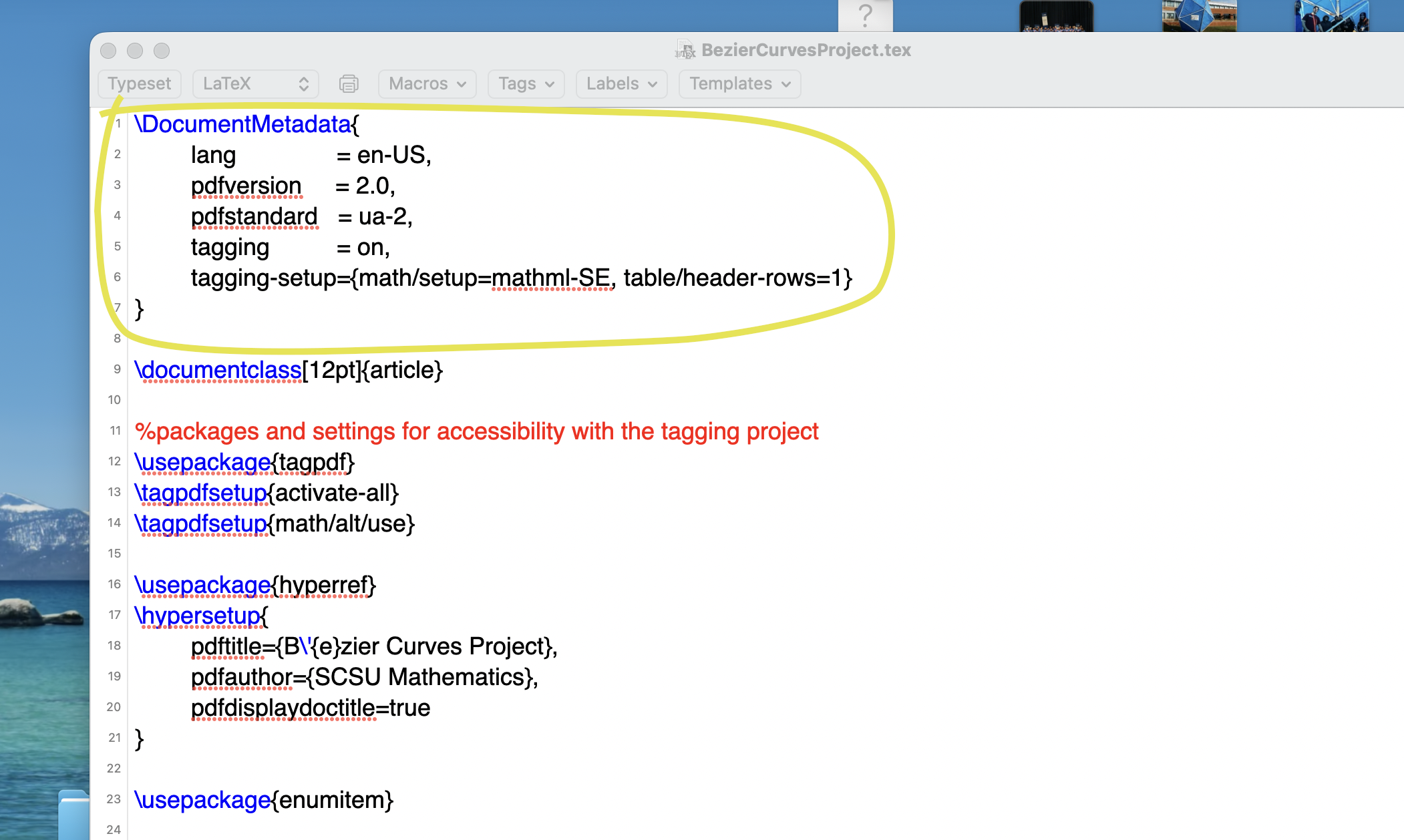
In violation of all the usual LaTeX conventions, this block must go {\em before} the \documentclass{article}
which usually occupies the first line of your .tex file.
	\DocumentMetadata{

	lang               = en-US,

	pdfversion     = 2.0,

	pdfstandard   = ua-2,

	tagging          = on,

	tagging-setup={math/setup=mathml-SE, table/header-rows=1}

}
You can add the tagpdf and hyperref packages anywhere in the document preamble. It is also a
good idea to load the enumitem package which improves handling of enumerated and bulleted lists in screen readers (as in the following screenshot).
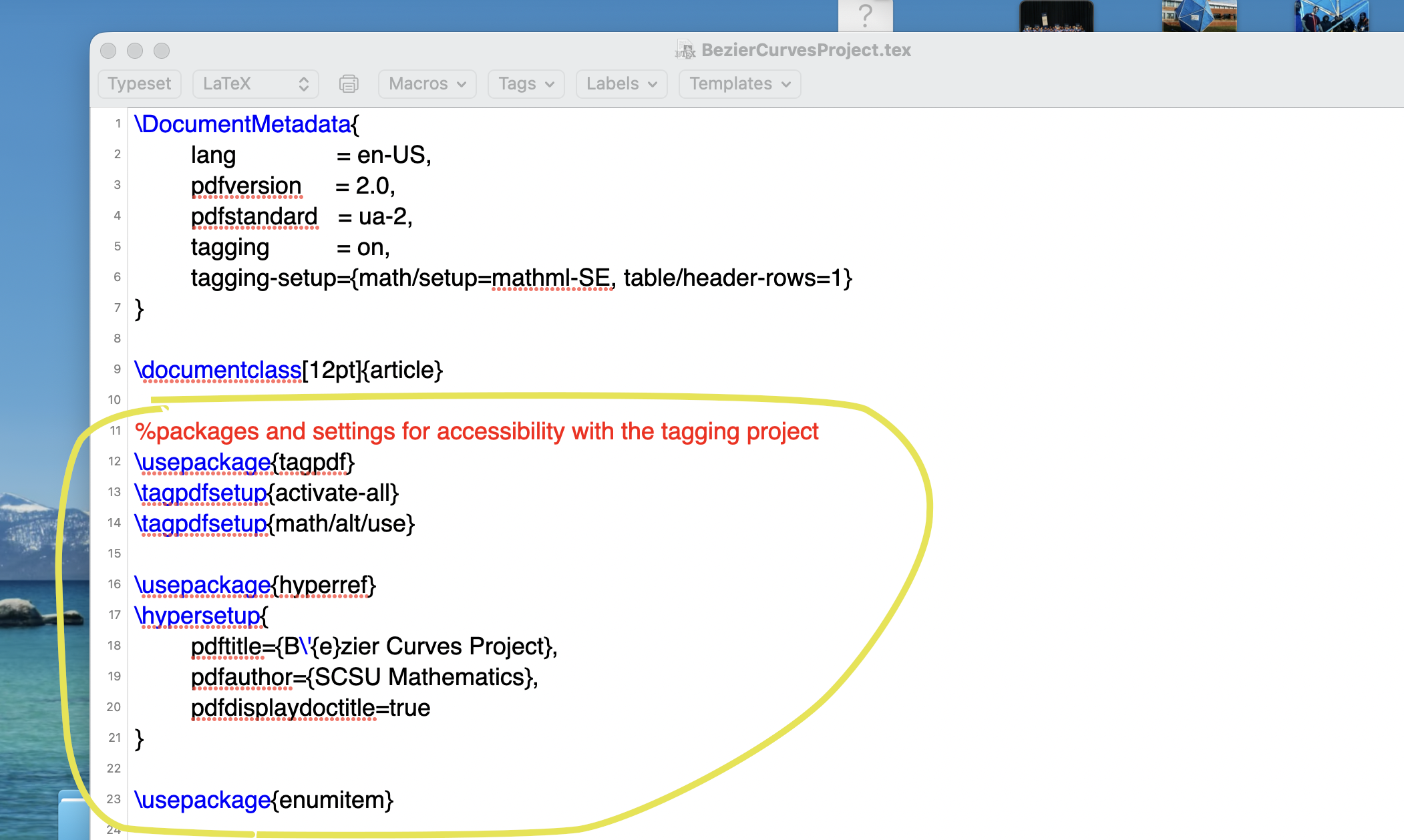
A copy/pastable version:
%packages and settings for accessibility with the tagging project


\usepackage{tagpdf}

\tagpdfsetup{activate-all}

\tagpdfsetup{math/alt/use}


\usepackage{hyperref}

\hypersetup{

	pdftitle={My Beautiful title},

	pdfauthor={My name},

	pdfdisplaydoctitle=true

}


\usepackage{enumitem}
Making these changes to a document's preamble, then processing with pdflatex or lualatex
should create a pdf document that passes automated accessibility tests. A couple of changes in the document body should
also be made: alternative text (a.k.a. alt text) should be added for graphics.
\includegraphics[scale=.35]{knot1.png}
should become
\includegraphics[scale=.35, alt={A random looking knot with 6 crossings.}]{knot1.png}
I recommend using the dictation mode in TeXShop to create a rough draft of a description for your graphic. You may need to edit the draft extensively, but alt text that comes from natural speech generally flows well.
Overleaf has a very informative page about producing accessible pdfs.
A well done primer by Richard Wong at Rice.